Amateur sport · Product Design · 2026
Score1.
Every game, one score.
One app for scoring, tracking and connecting across nine sports — with the scoring depth cricket needs and the community tools clubs actually use.
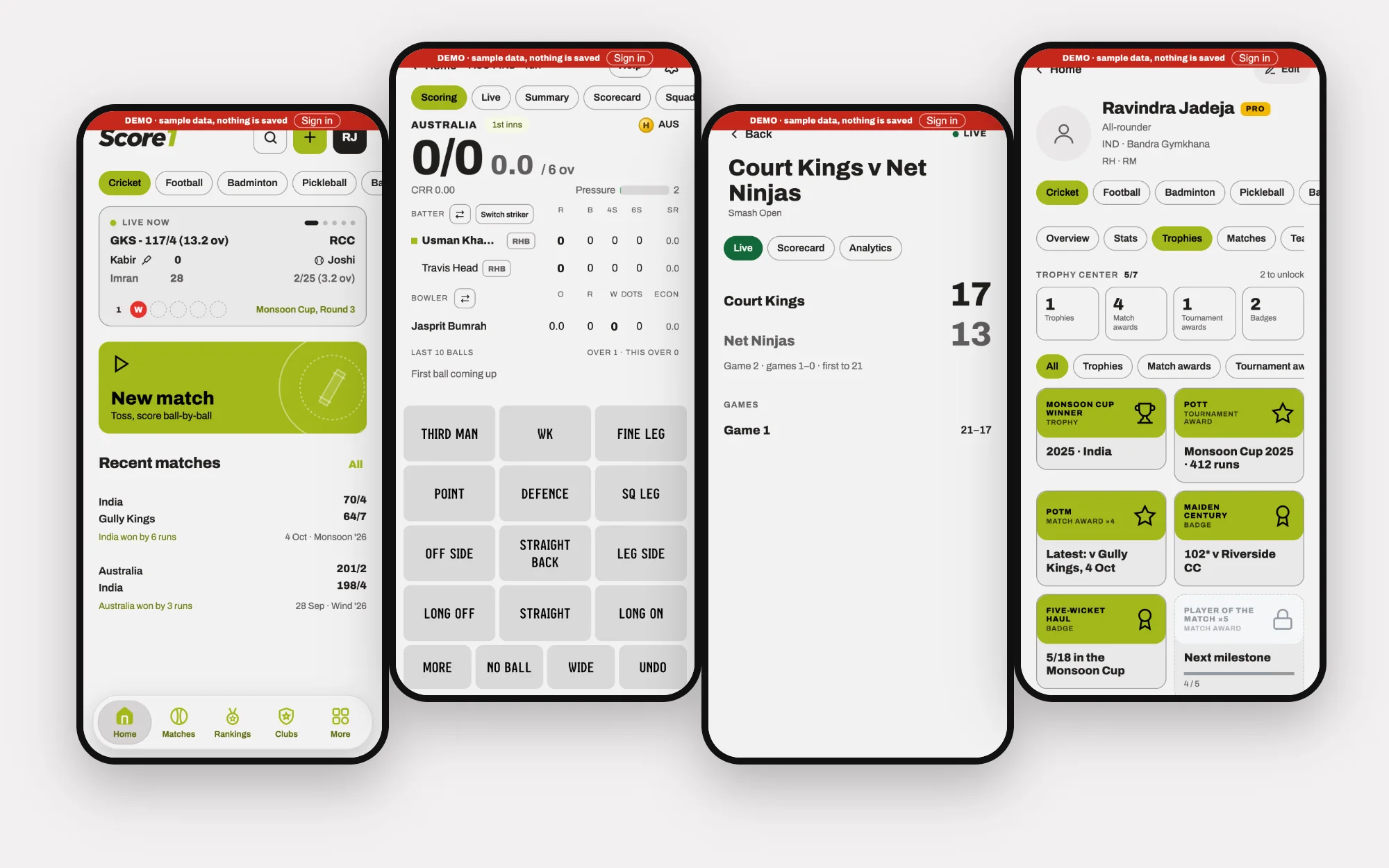
Real screens from the product’s demo mode (sample data).
- My role
- Product designer and owner — product definition, interaction and visual design — with AI-assisted development
- Duration
- 10 – 29 Oct 2026 · 398 commits · v0.8 alpha
- Industry
- Amateur sport
- Platform
- iOS · Android · Web/PWA · Android TV scoreboard · home-screen widgets
- Tools
- Claude Design · Claude Code · Capacitor · Supabase · Cloudflare Workers · Archivo
Overview
The product, plainly
- What it is
- Score1 is a scoring and community app for amateur sport. It scores a match ball-by-ball (cricket) or game-by-game (badminton, pickleball), and surrounds the score with what a club needs: player profiles and rankings, clubs and teams, availability polls, fixtures, tournaments and shared costs. It runs on iOS and Android, on the web, as a big-screen Android TV scoreboard and as home-screen widgets.
- Why it exists
- My premise is that an amateur match deserves a proper record — the score, the players, who was there, who owes what — not a note in a chat. Score1 treats the casual match as a first-class thing.
- Who it serves
- Amateur players, captains and organisers in cricket, badminton, pickleball and other club sports; the teammate who ends up scoring; and the person who ends up chasing money for the ground.
- The problem
- Scoring is sport-specific and exacting, while the community around it is the same everywhere. Tools tend to give you one or the other — a scorer with no community, or a group chat with no scoring. Score1 holds both in one architecture without flattening sport rules.
- My contribution
- Product definition, information architecture, the scoring interaction (zones, gestures, haptics), the sport-colour system, visual design, and the direction of an AI-assisted build across 398 commits.
398
commits in 20 days (10 – 29 Oct 2026)
9
sports in one shell
7
steps to set up a cricket match, draft saved at each
4
scoring maps for cricket: Full, Modern, Arc, Classic
Stage 1 of 5 · Empathise
Understand the match day
Research and discovery
I didn’t run interviews for Score1, and I won’t pretend otherwise. This stage is a retrospective: reading what the product does to infer what it assumes about people — then saying plainly which parts are assumptions.
What kind of evidence is in this stage
- Research conducted
- Observed in the product
- Provisional persona
- Proposed validation — not yet run
Match day, from three seats.
- The scorer holds the phone for the whole innings. Every second spent on a fiddly keypad is a second not watching.
- The viewer — a teammate, a parent, a friend at home — wants to know the score without asking the scorer.
- The organiser has chased availability, built the XI, and later chases the money.
A match, before, during and after
Conceptual diagram- Asks who is available
- Picks the sides
- Chooses teams, format, ground
- Flips the toss
- Records every ball
- Corrects mistakes
- Follows the live score
- Puts the scoreboard on a big screen
- Reads the summary
- Splits the cost of the ground
- “Who can actually make it?”
- “We set this up last week too.”
- “Don’t make me look at the phone.”
- “What’s the target?”
- “Who owes what?”
- Availability polls; fixtures on a calendar
- Reuse last match’s settings; save a draft at every step
- Thumb gestures with haptics; undo that survives a restart
- Live match page, scoreboard, widgets
- Summary and awards; Share Cost with who-pays-whom
The scorer
A teammate who volunteers to score
Not batting or bowling this innings, so they take the phone. They want to do it well without becoming the only person who can see the match.
Wants
- Record each ball without looking away for long
- Fix a mistake without starting again
- Hand the phone to someone else mid-match
Struggles with
- Small keys and long menus
- Losing the match if the app closes
- Being the only one who knows the score
The captain-organiser
Runs a club side
Decides who plays, sets matches up, and wants the season to mean something.
Wants
- Know who is available
- Start a match quickly with the usual settings
- See standings and records
Struggles with
- Chasing replies
- Re-entering the same setup every time
- Tournament admin
The treasurer by default
Whoever paid for the ground
Paid for the ground, the balls or the refreshments, and now has to get the money back from eleven people without it getting awkward.
Wants
- Split a cost fairly
- See who has paid
- Share a clear summary
Struggles with
- Reminders that feel like nagging
- Splits that don’t fit how teams actually share costs
Key insights
- 01The person scoring is the person least able to watch the game. Input has to be thumb-only and eyes-up. (Design assumption.)
- 02Amateur teams mix people with accounts and people without. Identity is the first data problem. (Observed: temporary players, QR player IDs and merging exist.)
- 03The social work around a match — who is available, who owes what — is as frequent as the scoring itself. (Design assumption.)
Decisions made
- 01Design for the scorer first; the scoring surface is the product’s centre of gravity.
- 02Let people try the app before signing up — a demo with sample data.
- 03Treat temporary players as real players that can later become verified ones.
Without research to lean on, the job of the next stage was to be precise about the problem, and about what Score1 would deliberately not try to be.
Next: DefineStage 2 of 5 · Define
Frame the problem
Problem framing and strategy
Scoring is sport-specific and exacting. The community around it is the same everywhere. The problem is one architecture that holds both without flattening a single rule.
What kind of evidence is in this stage
- Proposed validation — not yet run
How might we…
- …let someone record a ball with one thumb and almost no attention?
- …keep the rules of nine sports intact inside one product?
- …make an amateur match leave a record that matters to the people in it?
- …take the awkwardness out of settling up?
- 14 Oct
Undo works after a restart
The log is replayed rather than the screen restored.
- 14 Oct
Resume your own live match after a restart
- 14 Oct
Remove demo data for real users; “Try the demo” on sign-in
A way to look before committing.
- 28 Oct
New match: save a draft on every step
A match set up on a phone can be continued at the exact step.
- 28 Oct
One scoring device at a time
Club members can request scoring; the scorer approves or declines.
Scope: what is built, partly built, or only proposed
Drawn from the shipped product| Cricket | Badminton | Pickleball | Other sports | |
|---|---|---|---|---|
| Sport-specific scoring | ||||
| Live scoreboard | ||||
| Big-screen scoreboard | ||||
| Player profiles and match history | ||||
| Performance statistics | — | |||
| Player comparison | — | |||
| XP levels and badges | ||||
| Individual achievements (trophies) | — | |||
| Clubs and teams | ||||
| Polls and match coordination | ||||
| Expense sharing | ||||
| Smartwatch scoring controls | — | |||
| Club records and record ownership |
- In the app today
- Partly built
- Proposed — not built
Key insights
- 01Every statistic, ranking and badge is derived from the scored events. If the scoring is wrong or slow, everything downstream is wrong.
- 02Sports differ in rules, not in people: players, clubs, teams, polls and money are shared.
- 03Losing a ball is worse than a clumsy screen. Reliability is a design requirement, not an engineering detail.
Decisions made
- 01One shell for every sport; sport-specific scoring surfaces inside it.
- 02The scored match is the source of truth for profiles, rankings and badges.
- 03Never lose a ball: undo replays the log, a live match resumes after a restart, and setup saves a draft at every step.
With the problem framed and what mattered ranked, the structure had to be decided: what is shared, and what belongs to a sport?
Next: IdeateStage 3 of 5 · Ideate
One shell, nine rulebooks
Exploration and solution architecture
The architecture answer: shared people, clubs and records on top; a separate rulebook and scoring surface for each sport below; and several surfaces — phone, scoreboard, TV, widget — reading the same match.
Unified architecture, preserved rules
Conceptual diagramSurfaces
One match, many views
- Phone app (iOS, Android)
- Web / PWA
- Live match page
- Landscape scoreboard
- Android TV scoreboard
- Home-screen widgets
- Share cards
People and community
Shared by every sport
- Accounts and player IDs (QR)
- Temporary players that merge into verified ones
- Clubs, teams and roles
- Availability polls
- Calendar and tournaments
- Share Cost
Records
Derived from scored events
- Match history
- Profile statistics
- Rankings
- XP, levels and badges
- Trophy centre
Sport rulebooks
Each keeps its own rules and scoring surface
- Cricket — overs, powerplays, wicket types, scoring maps, Pressure Index
- Badminton — singles/doubles, best of 1/3/5, to 15 or 21, rally scoring, win by 2, cap 30
- Pickleball — singles/doubles, games to 11, serve first
- Football — 90-minute match, goals timeline
- Basketball — 3×3, 5v5
- Table tennis, carrom, chess, board games
Information architecture
Drawn from the shipped productThe match flow
Drawn from the shipped product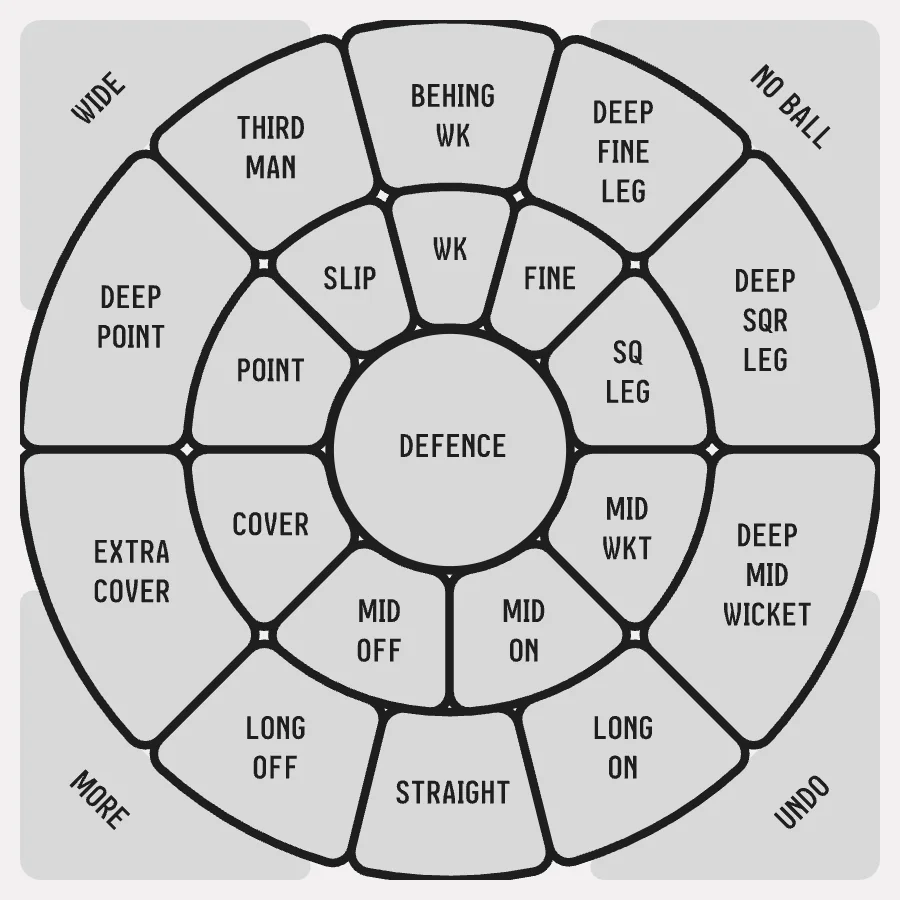
Full 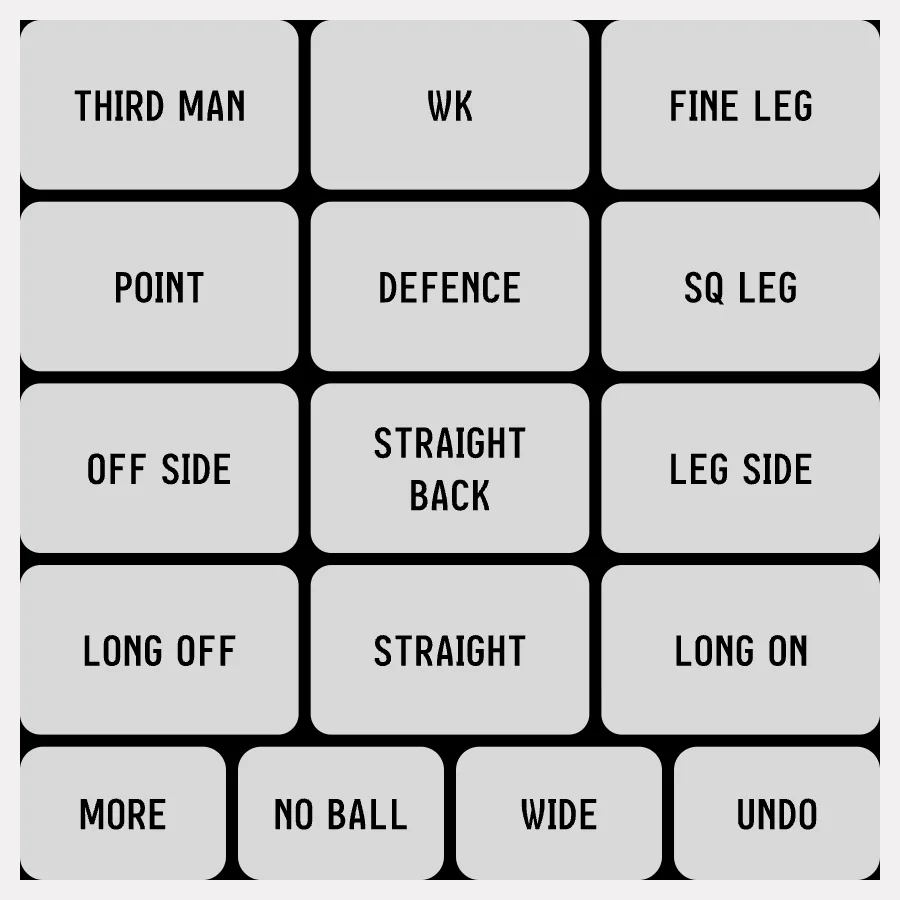
Modern 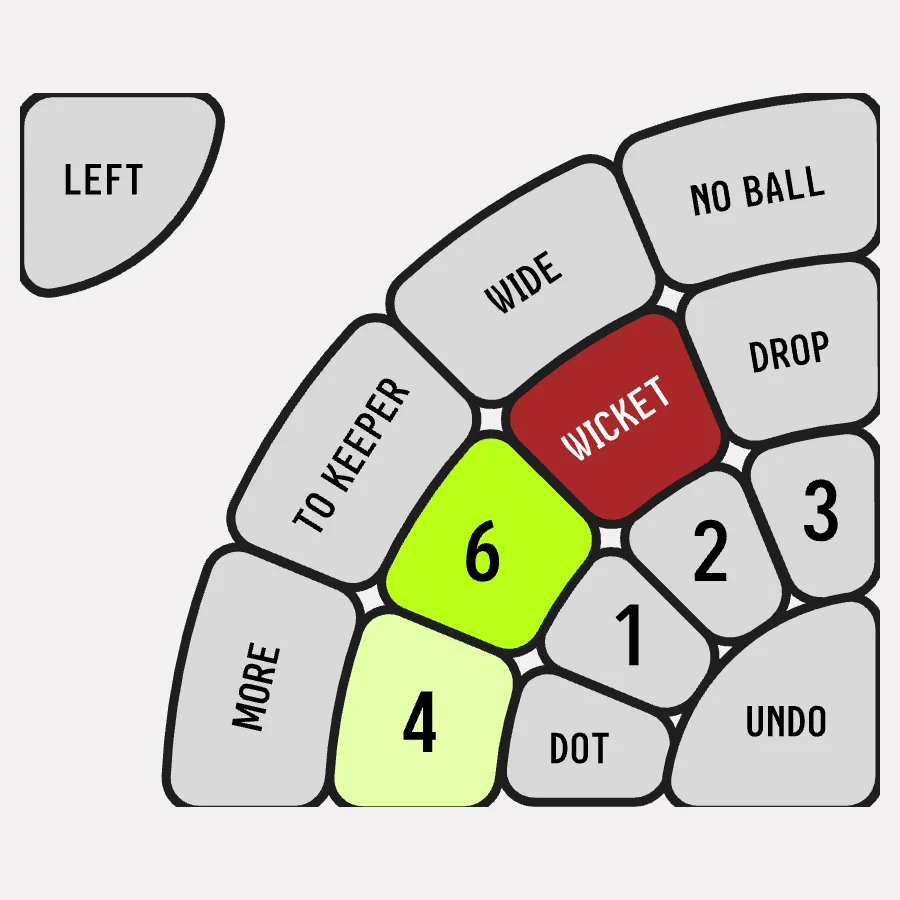
Arc 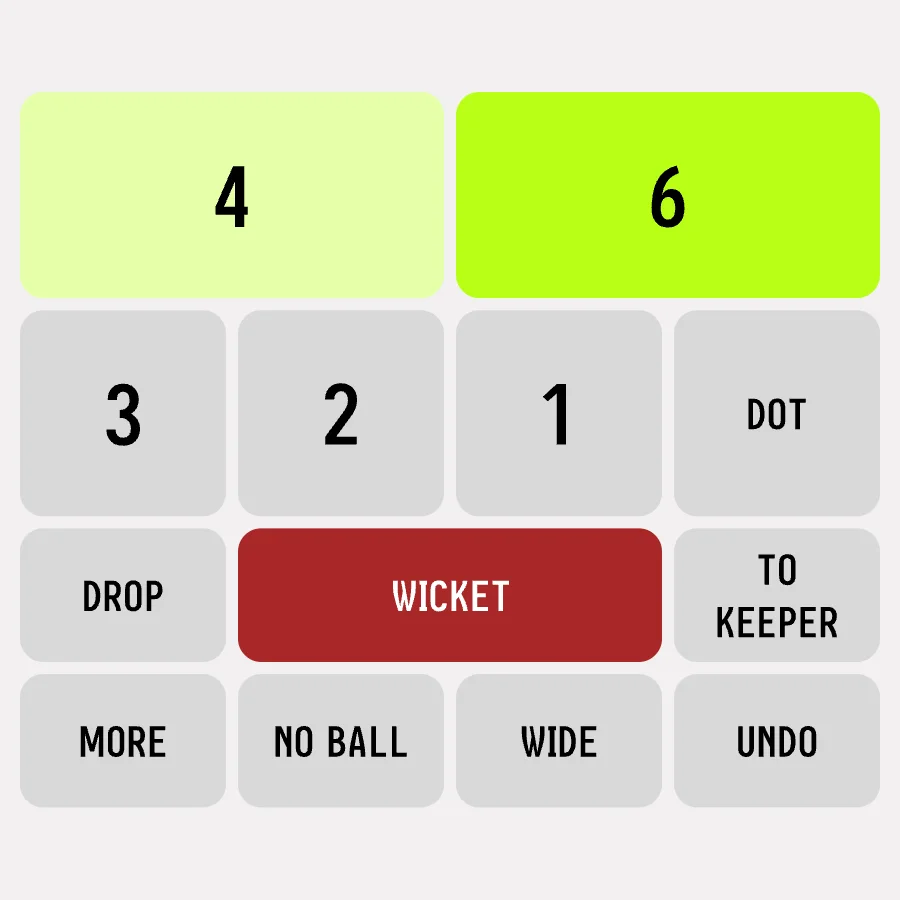
Classic
- 10 Oct
First commit: a native shell around a Claude Design prototype
- 14 Oct
Cricket scoring map: tap where each shot went
A ring map, a grid for Turf, zone commentary.
- 15 Oct
Modern scoring: press a zone, slide to runs
Then Classic | Modern | 360 as modes, and a new 360 field.
- 15–16 Oct
Haptics and bubbles above the finger
Bubbles that follow the thumb; picking by finger direction; a firmer buzz for wide, no-ball and more.
- 20 Oct
Custom scoring maps and an Arc view
- 21 Oct
Tap is a dot, hold is runs
Bubbles follow the swing of the right thumb.
- 28 Oct
A scoring tour with a Help button
Key insights
- 01Identity, community and records are sport-agnostic. Only the scoring surface and a handful of derived stats need to know the sport.
- 02Scoring can be explored as an input-design problem: the same ball can be captured by keypad, grid or field. Each earns its place for a different match.
- 03A match is a stream of events. Summary, scorecard, rankings, badges and widgets are views of that stream.
Decisions made
- 01A sport-colour system: the shell stays the same; the accent changes with the sport.
- 02Three scoring styles for cricket — Classic keypad, Modern grid, and field maps — chosen per match type.
- 03Pressure Index as a live reading, so a viewer can feel a match without reading a scorecard.
With the structure drawn and the scoring surface explored, the next job was to make it feel fast and calm in the hand.
Next: DesignStage 4 of 5 · Design
Fast in the hand, calm to read
Wireframes, UI and prototyping
A bold, high-contrast interface in Archivo, with one accent per sport. The scoring screen is built for one thumb in daylight; everything else is built to be read at a glance.
What kind of evidence is in this stage
- Observed in the product
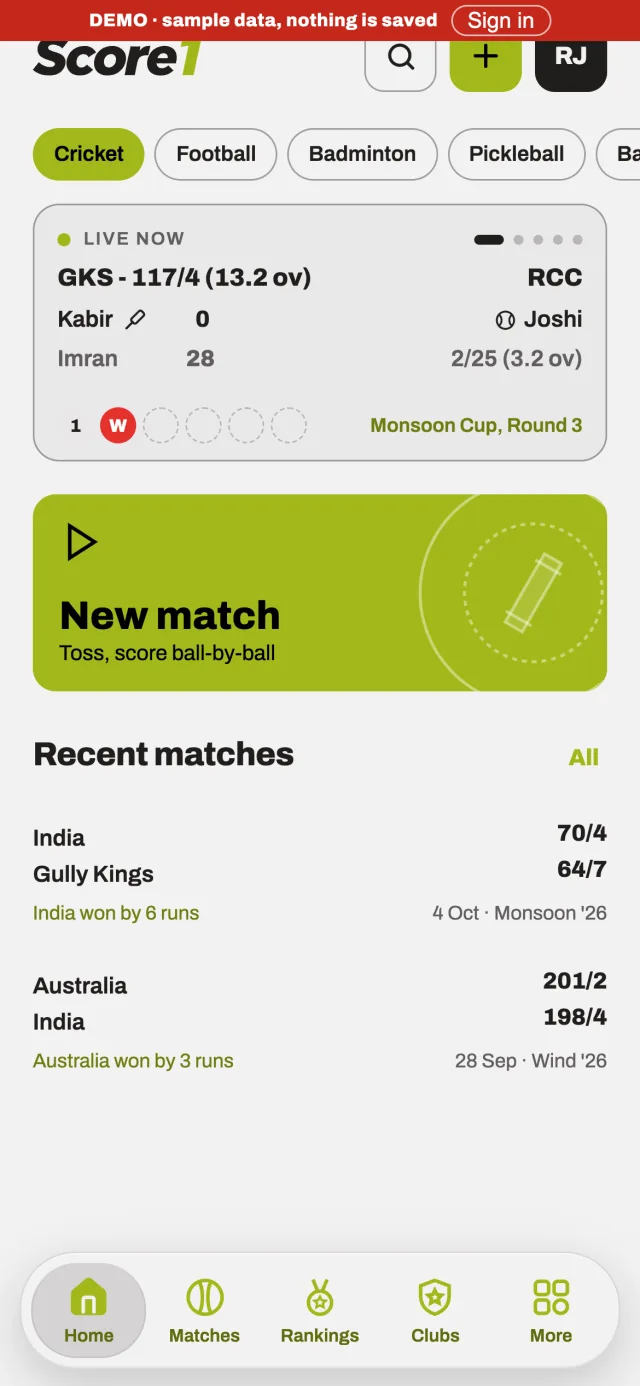
Home 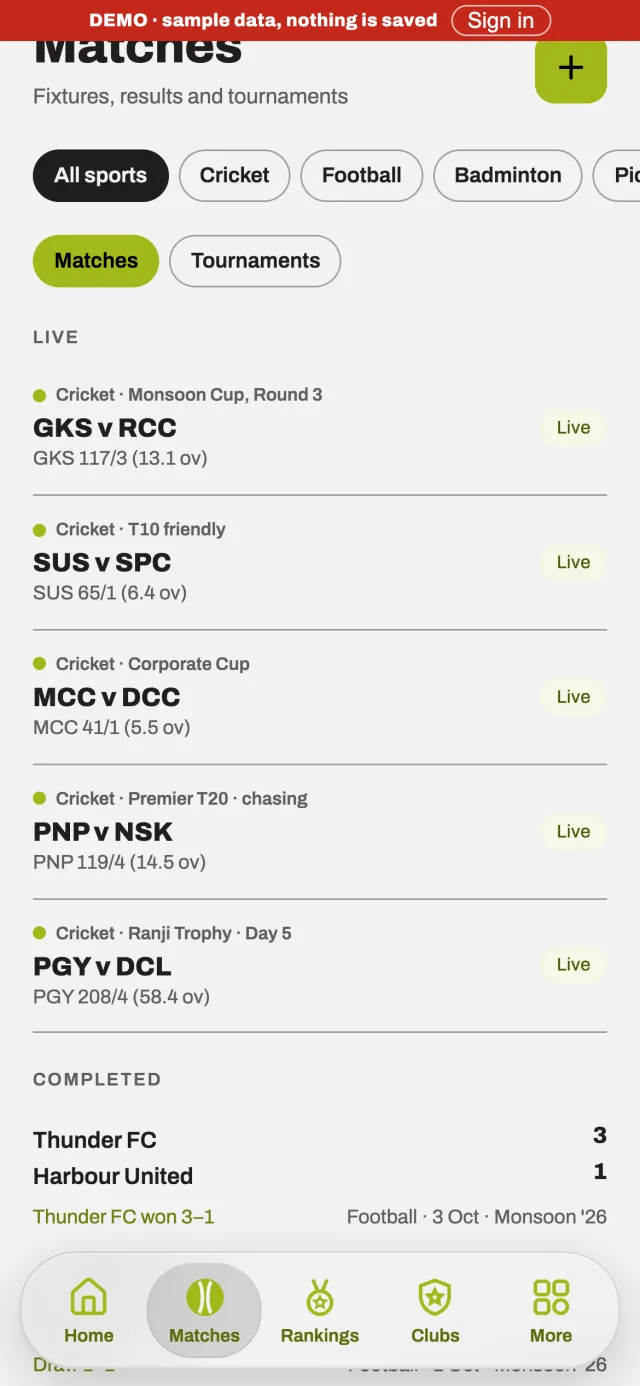
Matches 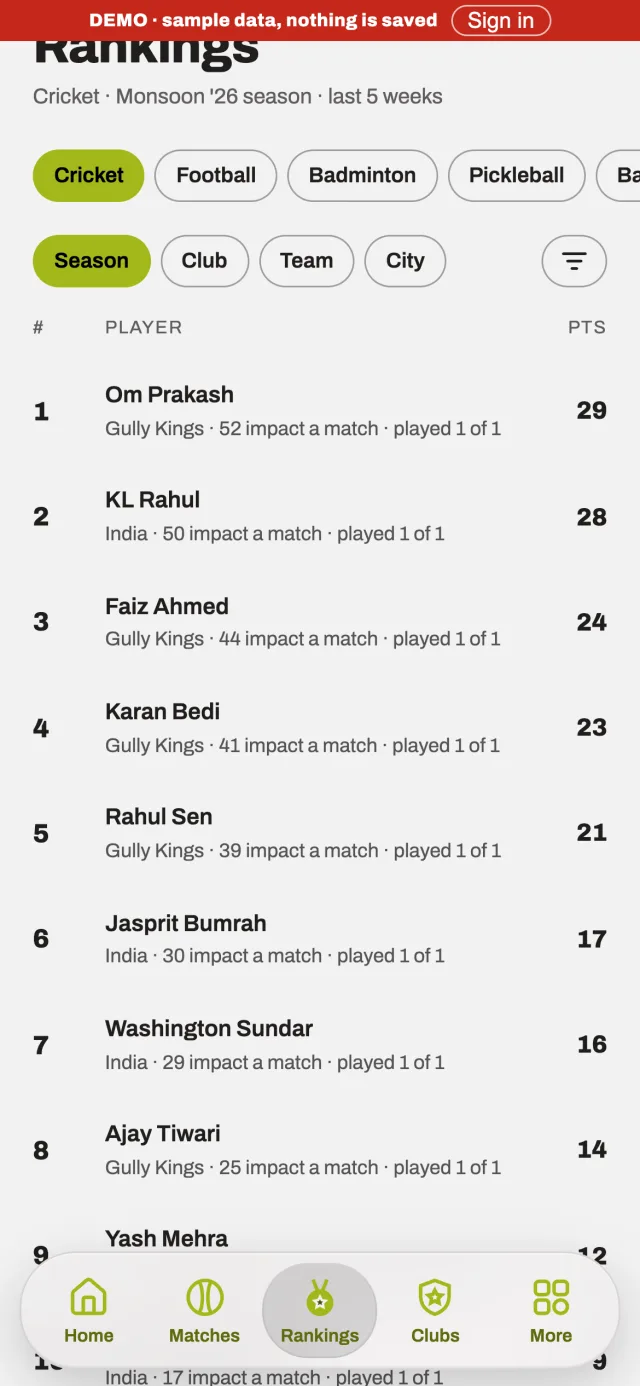
Rankings 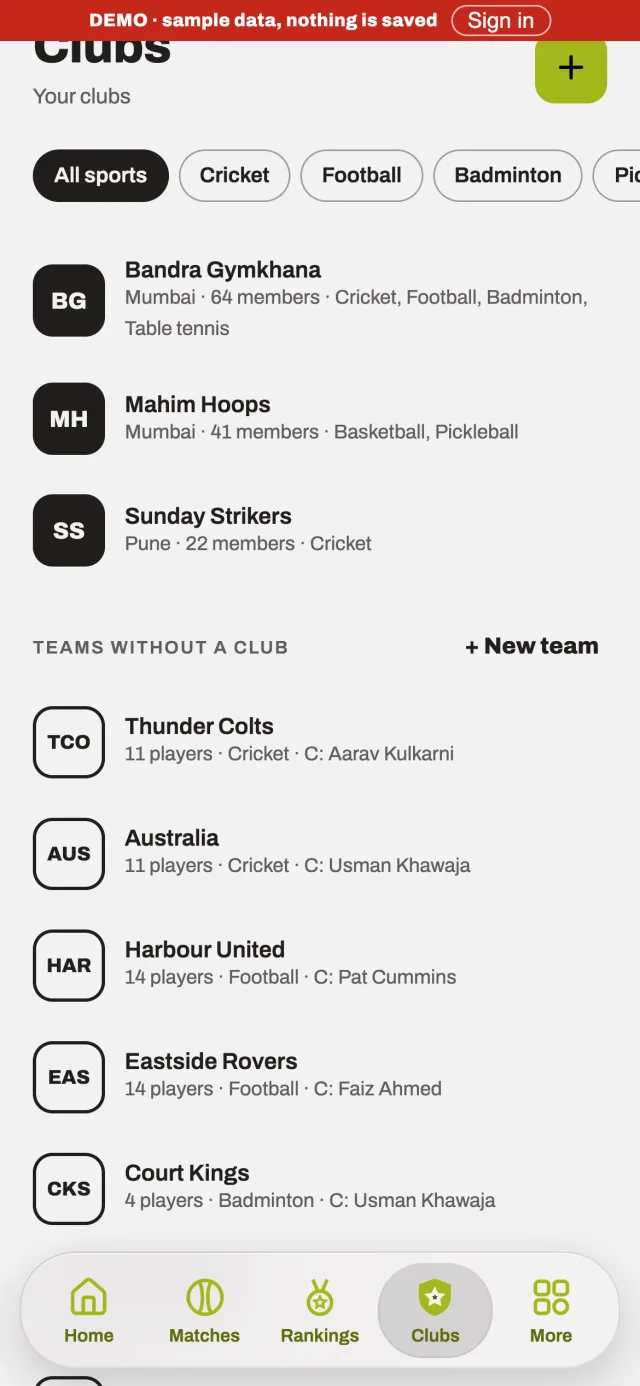
Clubs
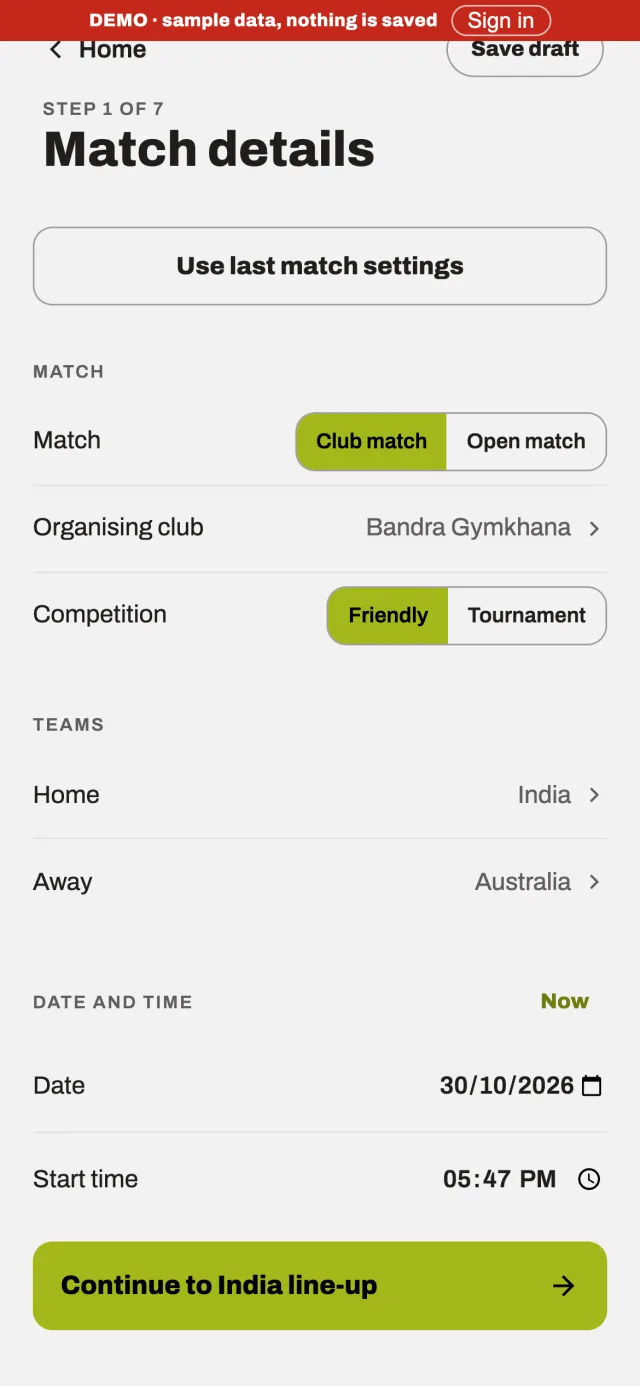
Match details 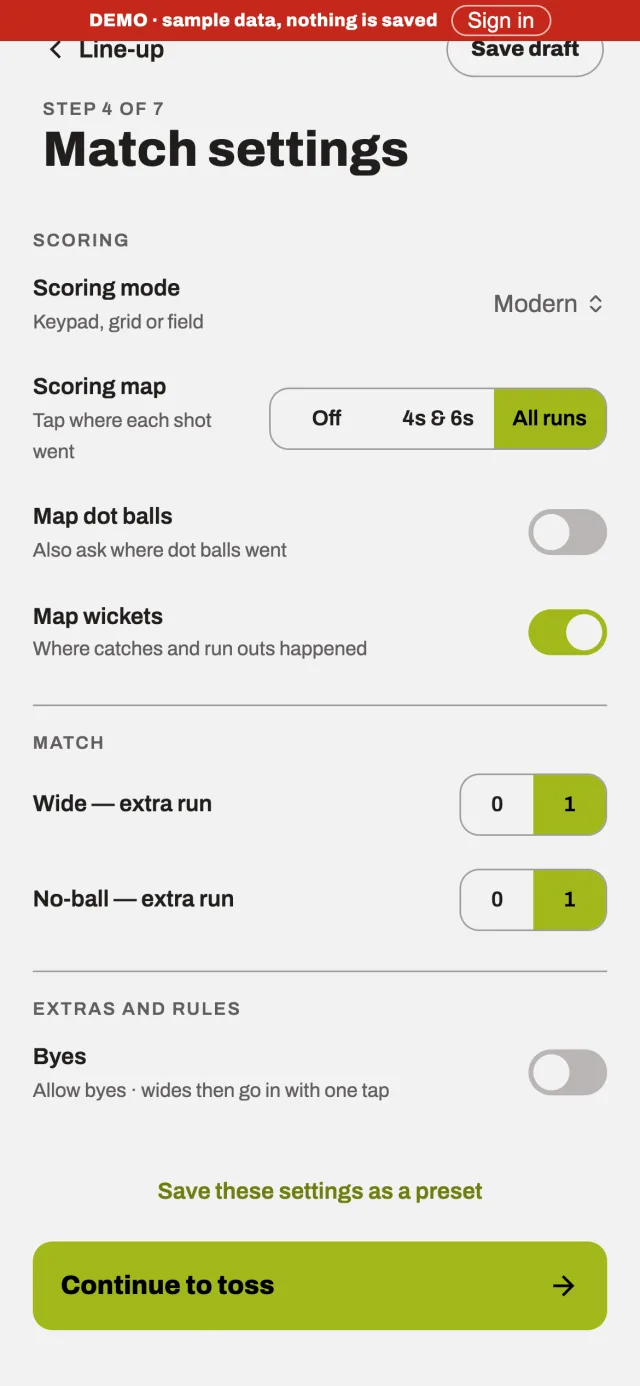
Match settings 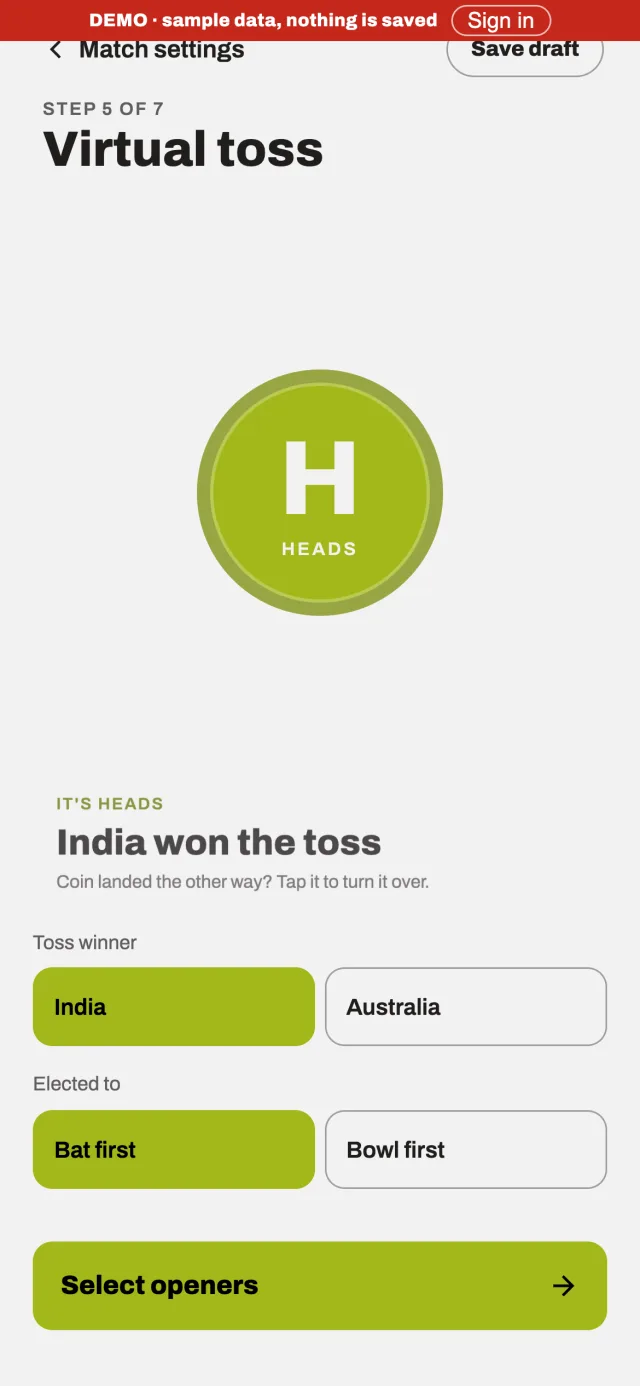
Toss
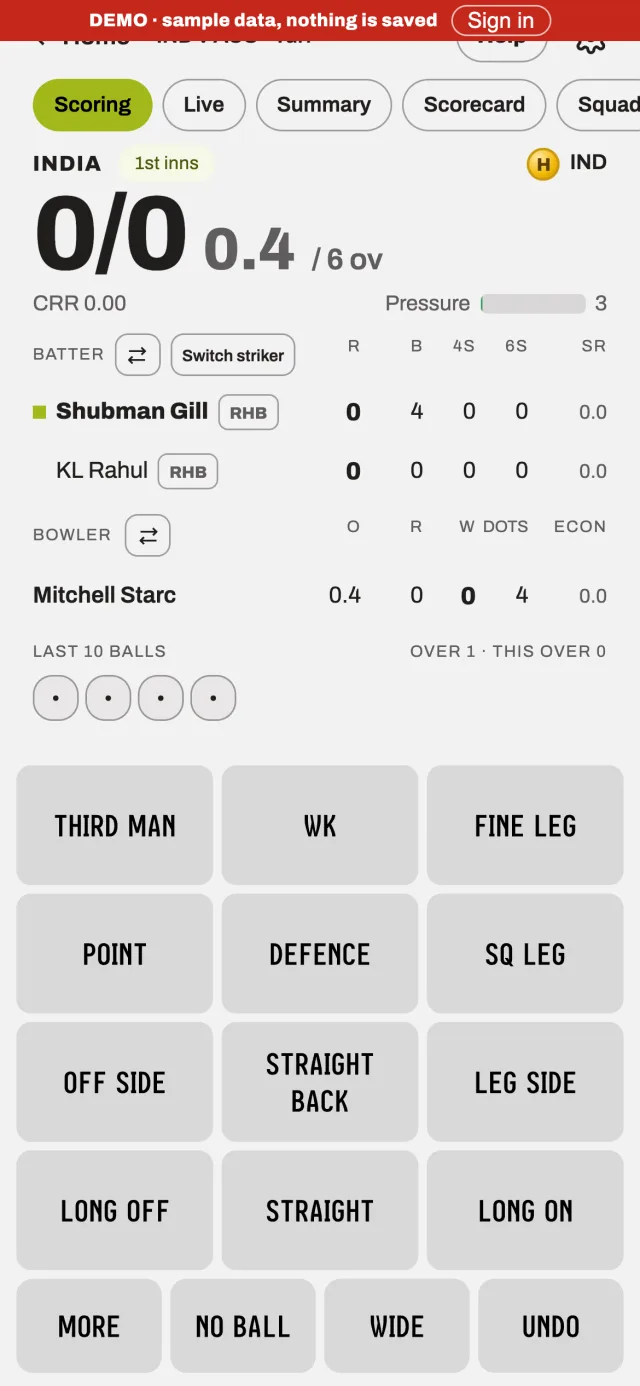
Scoring 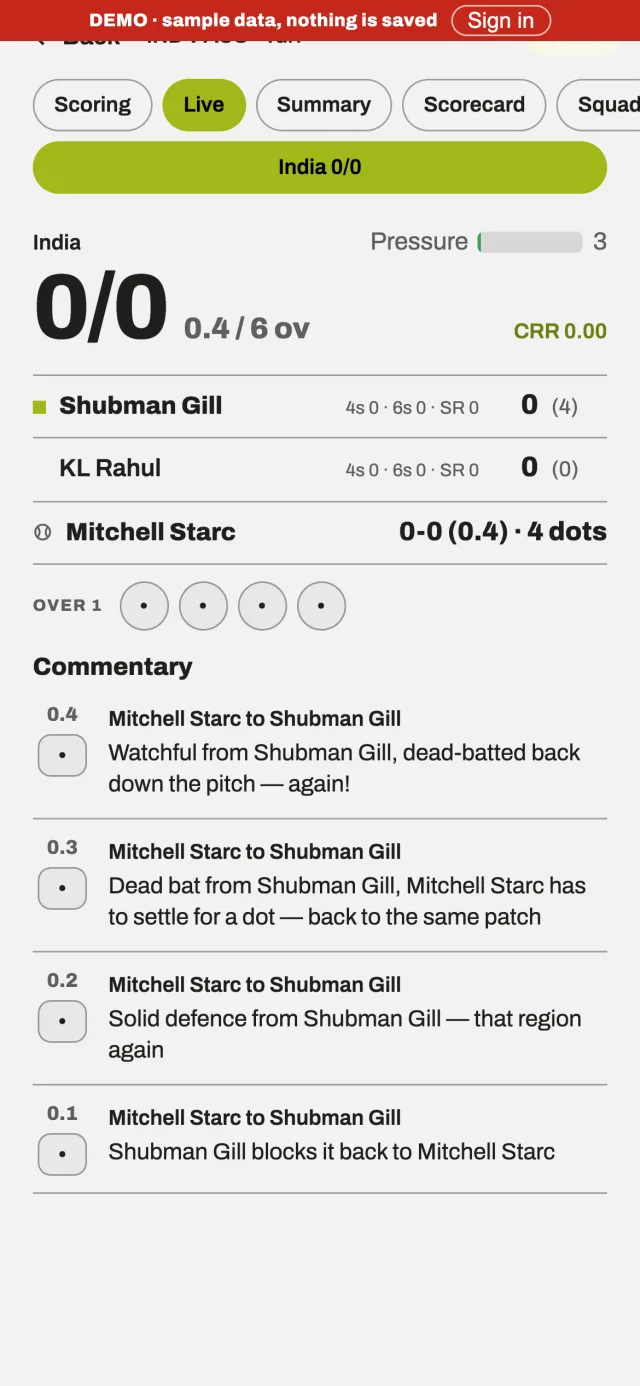
Live 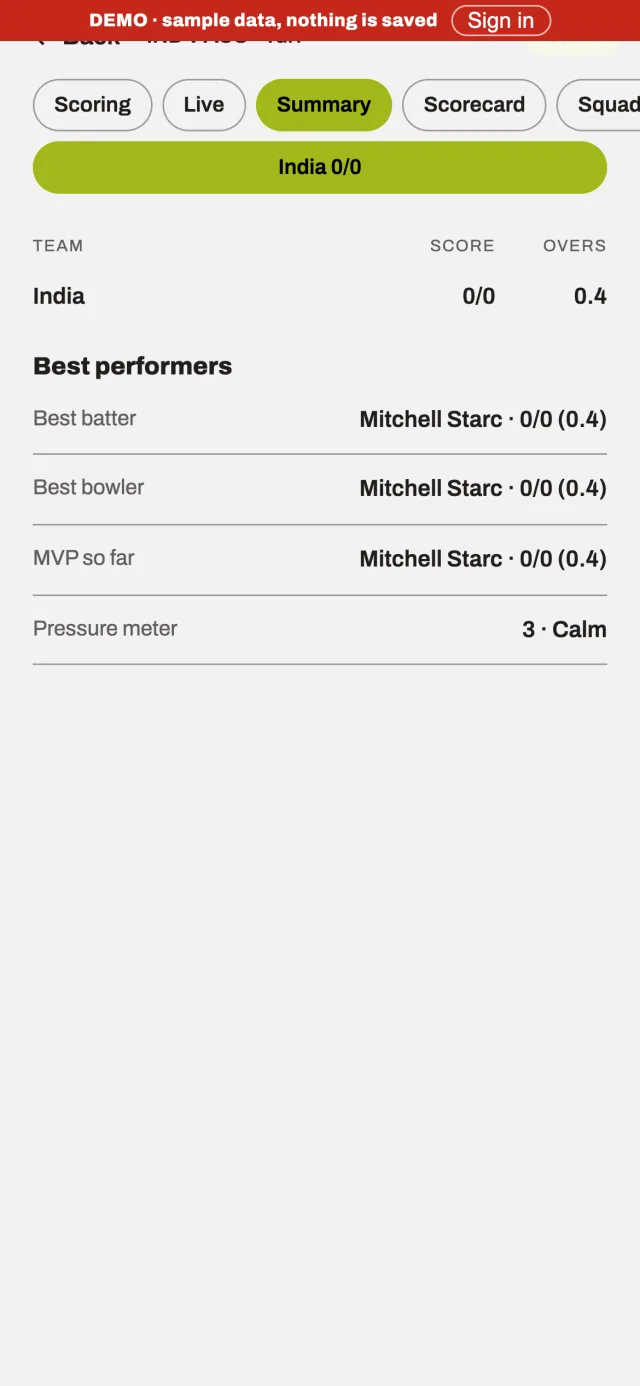
Summary
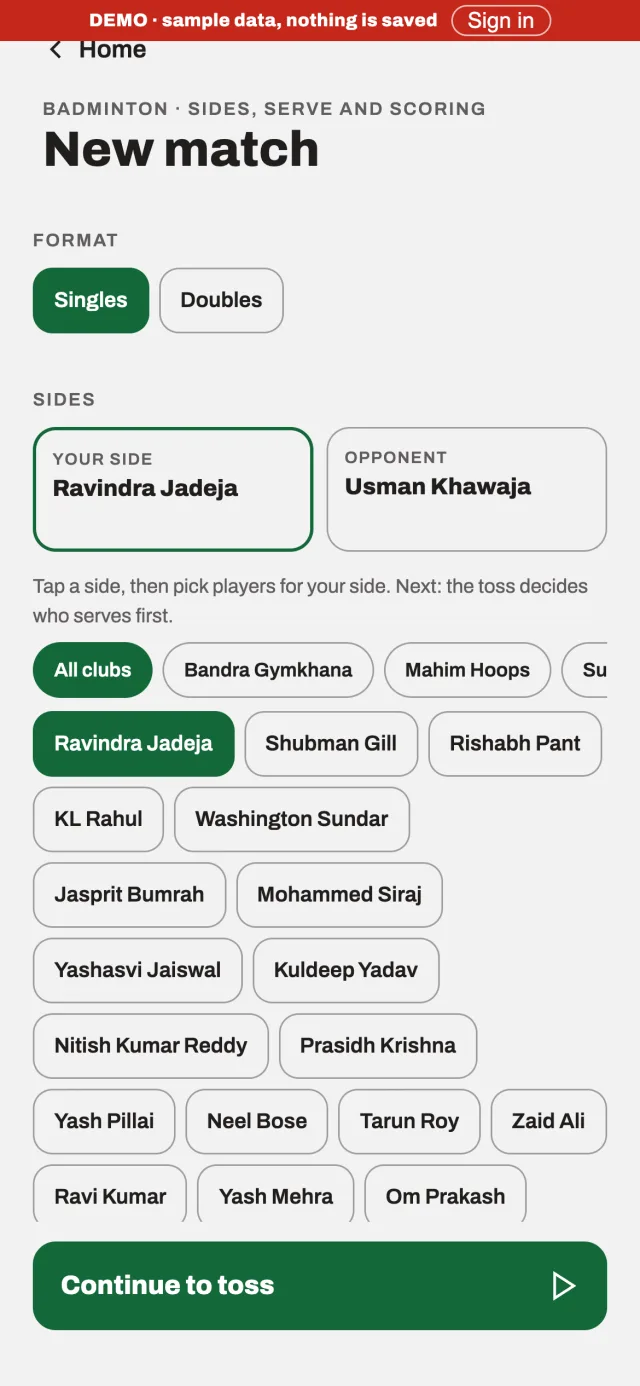
Badminton setup 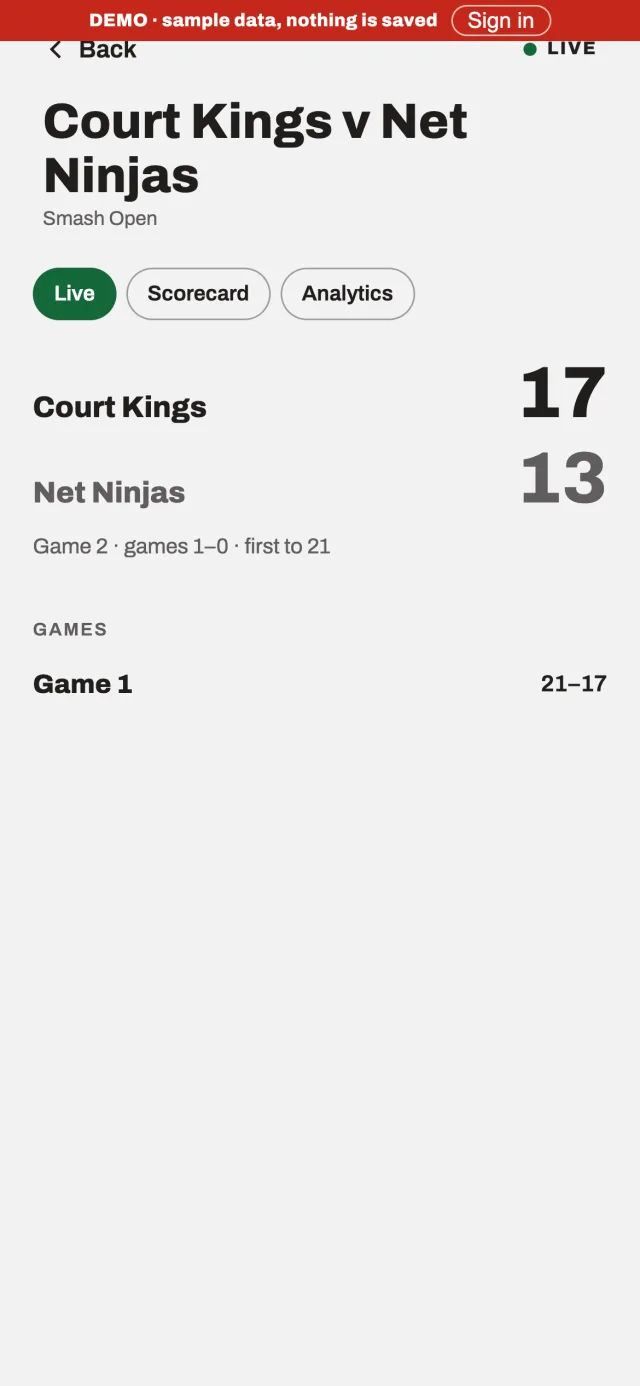
Badminton live 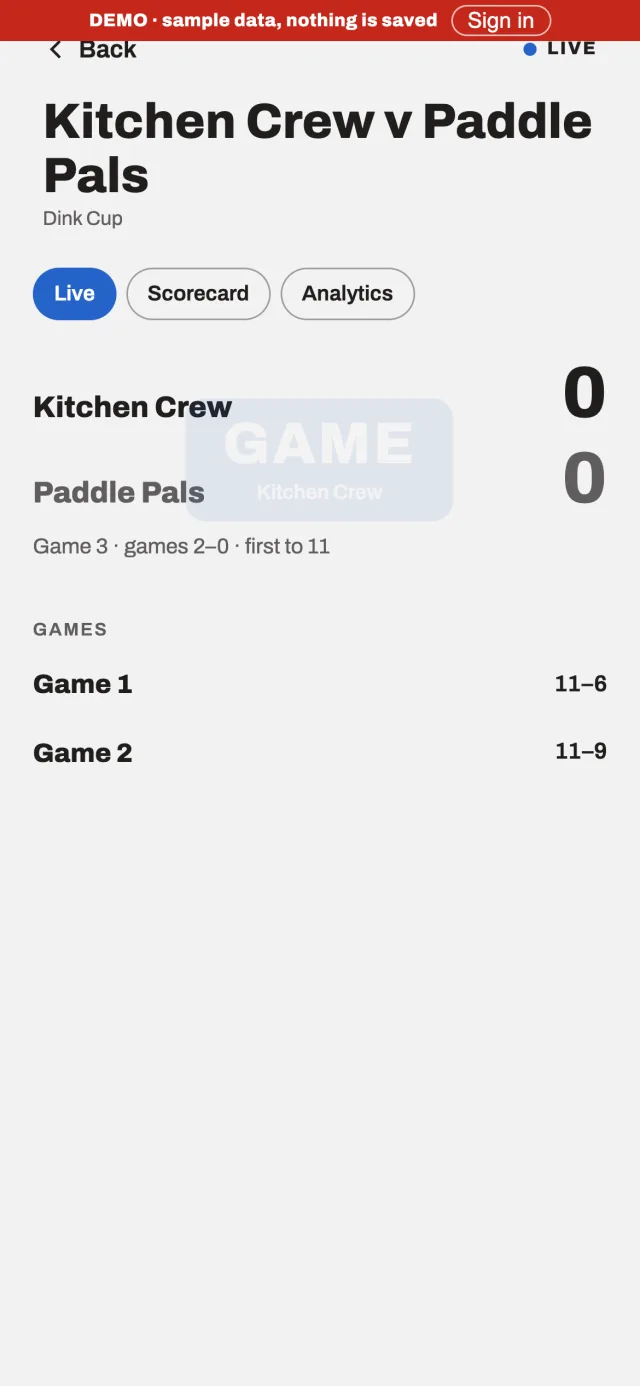
Pickleball live 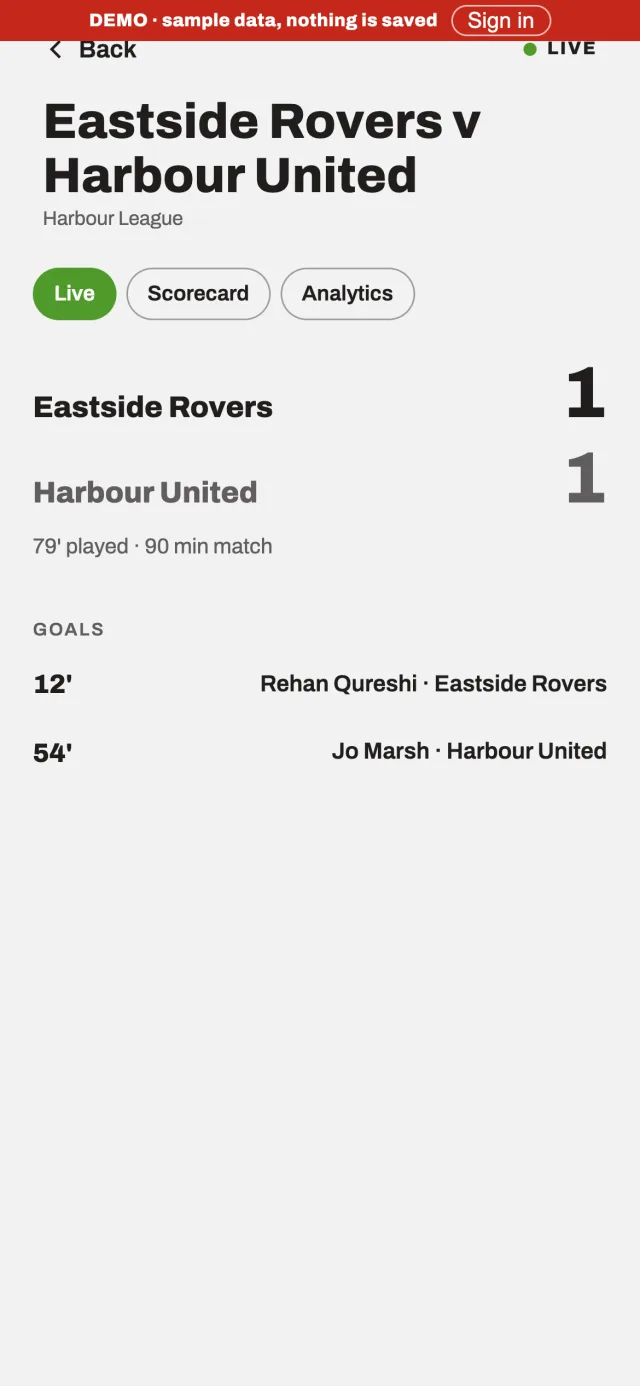
Football live
Sport colours and type
Drawn from the shipped productArchivo · Scoring and display
Every game, one score.
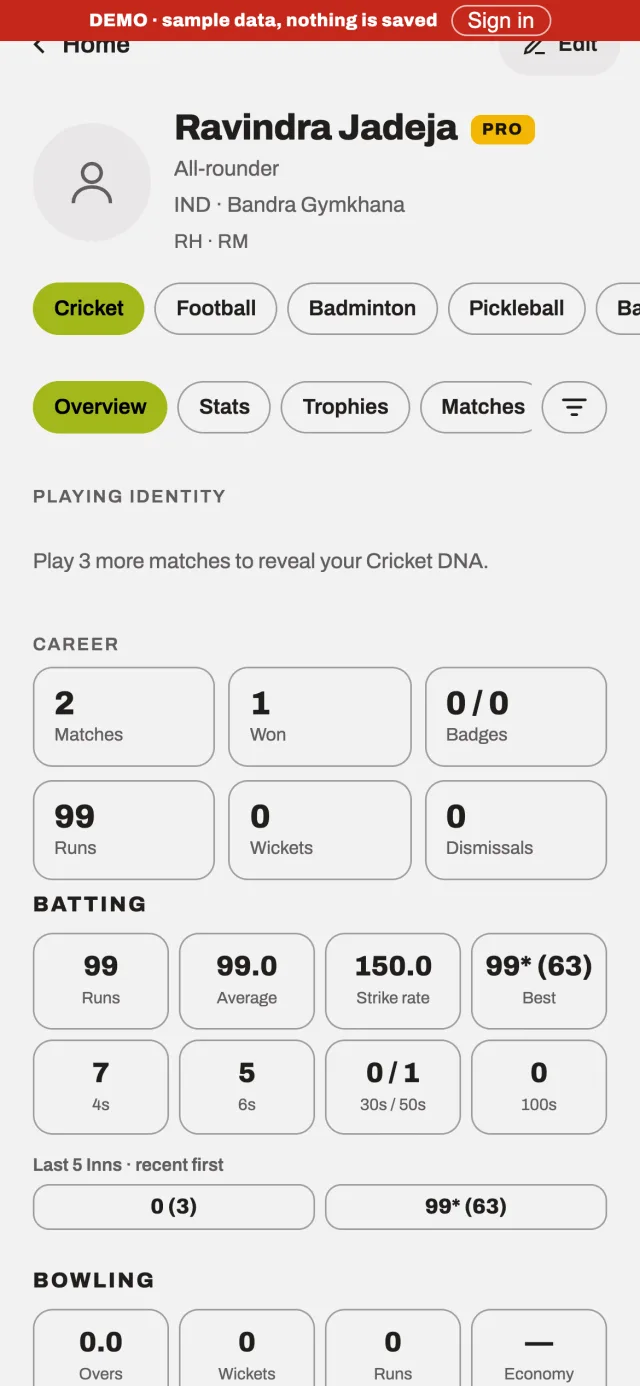
Overview 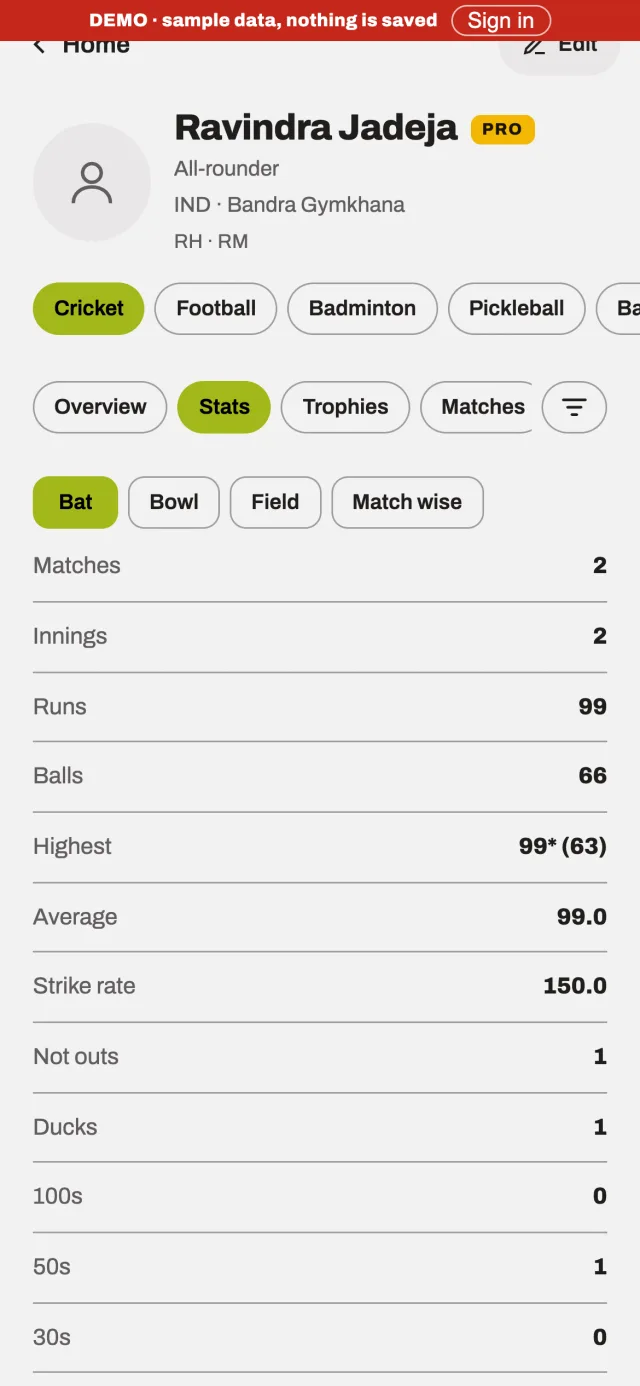
Stats 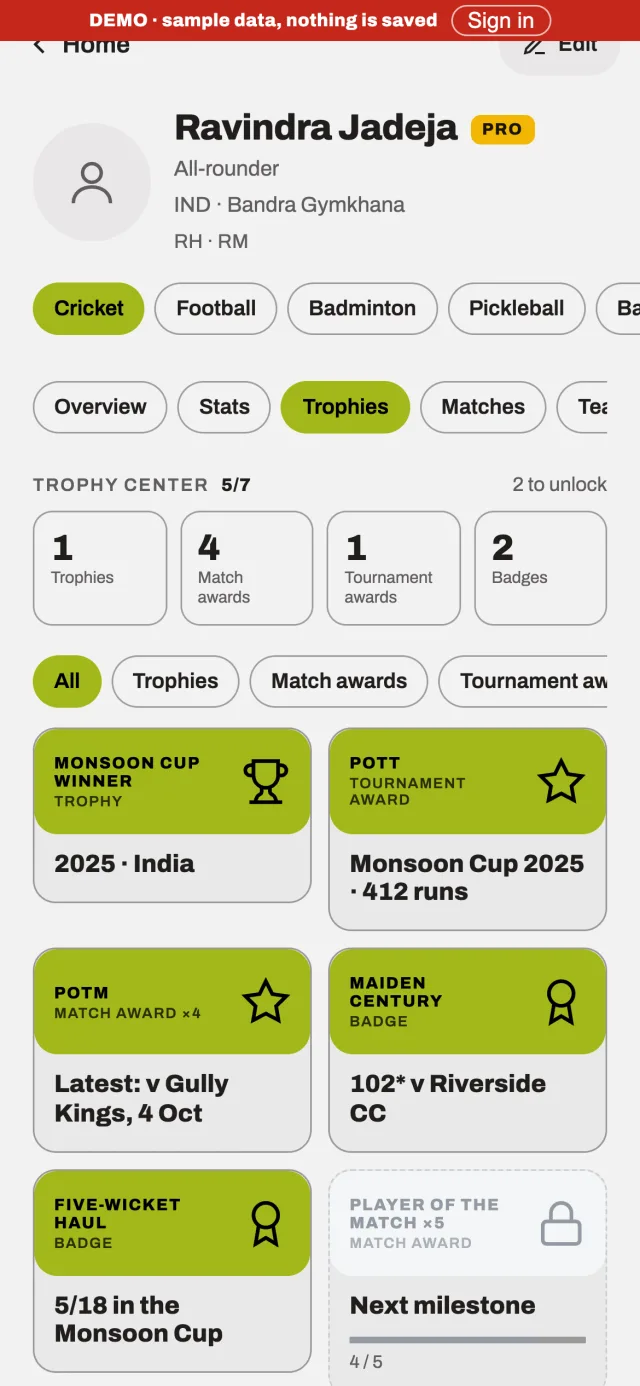
Trophies
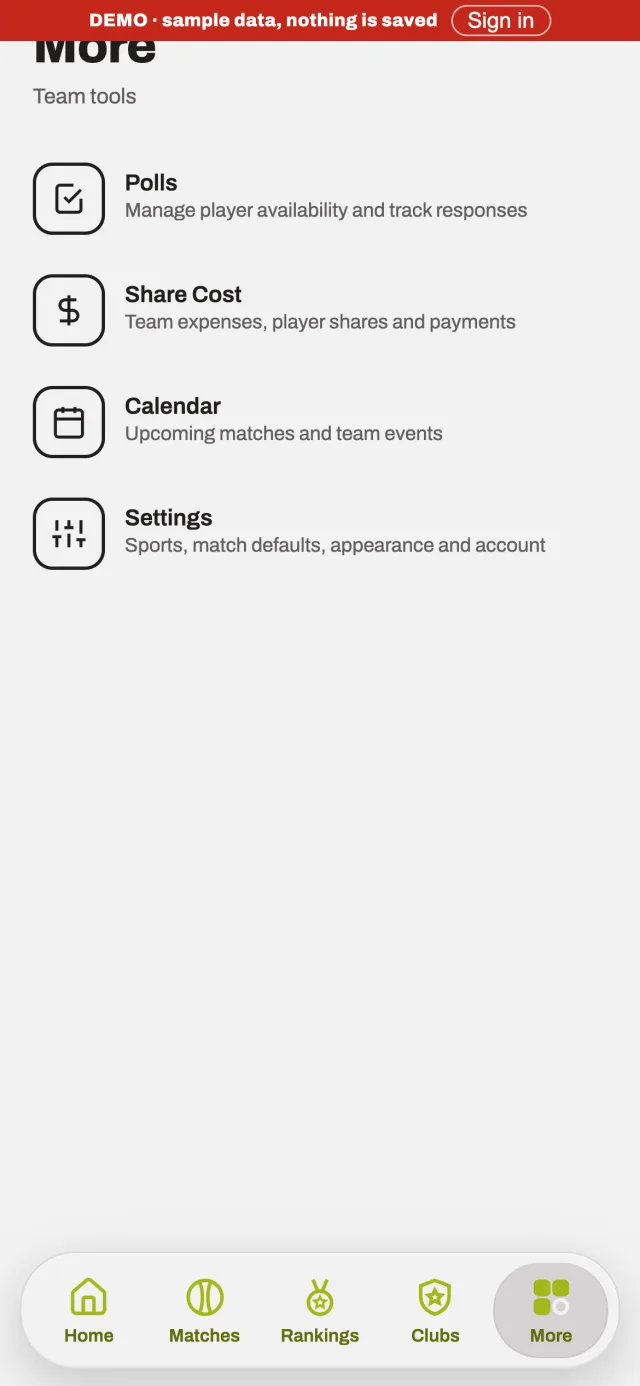
More 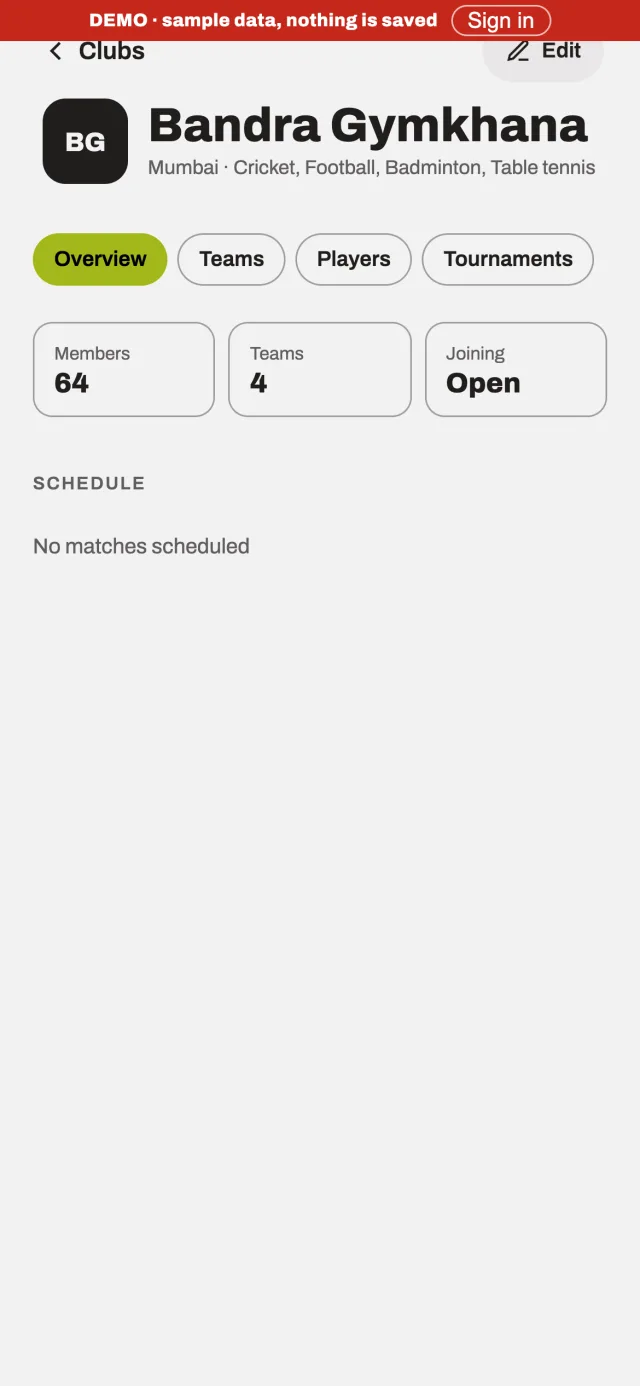
Club 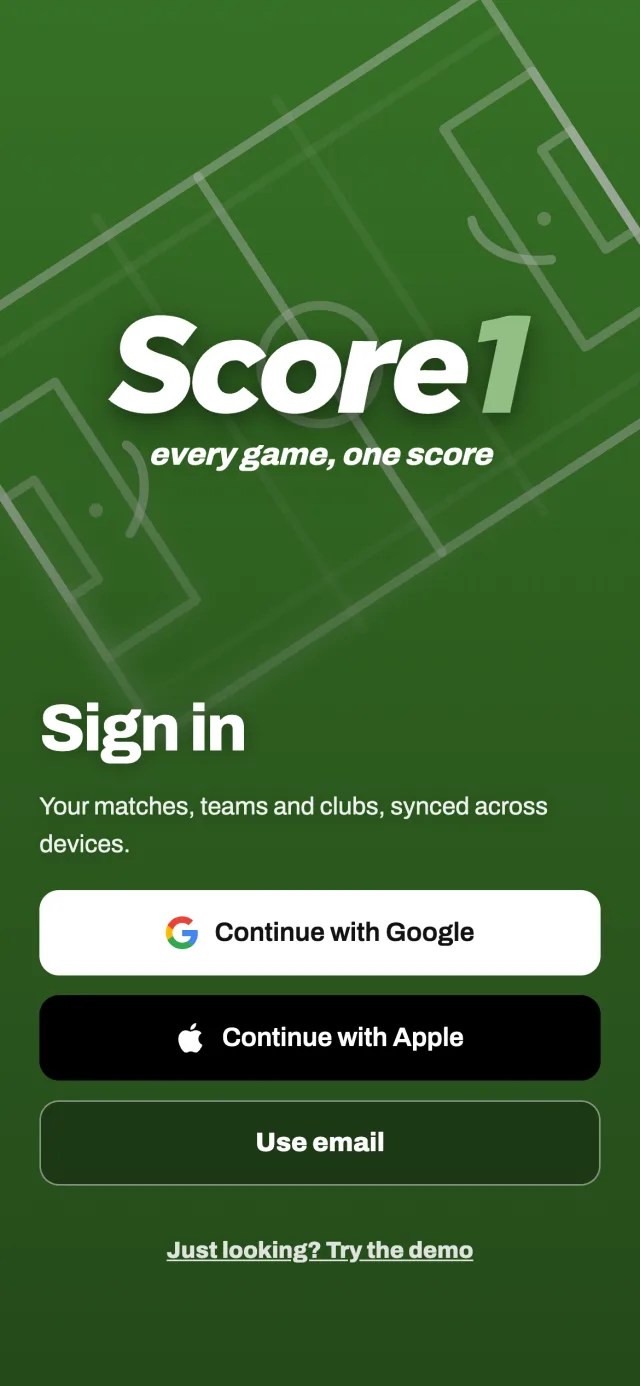
Sign-in
Try Score1 in demo mode
Open the live demoThis product blocks embedding for security, so the demo opens in its own tab.
Key insights
- 01Colour does the wayfinding. Each sport has its own accent, so you always know which rulebook you are in.
- 02Setup is a wizard because it happens once per match and must never be lost: seven steps, a progress count, a draft at every step.
- 03Reuse beats re-entry: “Use last match settings”, presets and per-format defaults remove most of setup for the second match onwards.
Decisions made
- 01Large type, strong borders and one accent per sport — legibility over ornament.
- 02A five-tab bar that stays the same in every sport, with a glass indicator that follows the finger.
- 03Haptics as feedback: a tap on every tap, a firmer pulse for press-and-hold.
Beautiful screens are a claim. How was it checked, and what has not been checked yet?
Next: TestStage 5 of 5 · Test
Run it, break it, replay it
Validation, iteration and improvement
There has been no formal usability testing of Score1, and this stage says so. What exists is device testing during the build and a clear plan for the validation it still needs.
What kind of evidence is in this stage
- Research conducted
- Retrospective analysis
- Proposed validation — not yet run
- Future opportunity
- 20 Oct
Software-render the WebView
Fixes stale or misplaced drawing in long pages on a Galaxy S20 FE and the emulator.
- 21 Oct
Fix squeezed layout: CSS zoom instead of transform
- 21 Oct
Android: choose WebView rendering by version
To stop shrunken tables and buttons on WebView 155.
- 21 Oct
Scoring map: correct touch under display scale
- 28 Oct
Scoring tour with a Help button; one scoring device at a time
- 29 Oct
Demo mode is unmistakable: a ribbon with Sign in
Key insights
- 01Many early fixes are rendering problems on real hardware, not design problems — but they decide whether a scoring screen can be trusted.
- 02A demo mode is a test too: it forces the product to make sense with no account, no history and no explanation.
Decisions made
- 01Make demo mode unmistakable — a ribbon with Sign in — so sample data is never mistaken for real data.
- 02Add a scoring tour with a Help button, instead of assuming the pad explains itself.
- 03Keep one scoring device per match, with an approval flow for handing over.
Version 0.8 is an alpha. Here is what I took from building it, and where it goes next.
What I learnedReflection
What I took from it
01
What I learned
Treating input as the design problem changed everything: a scoring screen is judged in seconds, with one thumb, in sunlight. Exploring four ways to say where a ball went taught me more than any mock-up could.
I also learned to separate what a sport owns (its rules, its scoring surface) from what people own (identity, clubs, money) — that separation is what lets nine sports share one shell.
02
Key design decisions
- One shell for every sport; the accent colour carries the sport.
- The scored match is the source of truth for rankings, profiles and badges.
- Never lose a ball: undo replays the log; live matches resume; setup drafts save at every step.
- Temporary players can become verified ones, carrying their history.
- One scoring device at a time, with an approval flow.
- Demo mode before sign-up.
03
Product impact
Not measured. Score1 is an alpha (v0.8) and I am not publishing usage numbers, because I have no verified ones. What I can state: it was designed and built in under three weeks and runs on phones, the web, a TV and home-screen widgets.
04
Opportunities for future development
- Observe real matches and test the scoring styles (plan under Test).
- Club records with attribution and ownership: who set a record, in which match, and who holds it now.
- Smartwatch scoring controls — a concept only; nothing is built.
- Deeper scoring and statistics for sports beyond cricket.
- An accessibility review of the scoring surface and colour system.
“Good design isn’t just about creating interfaces. It’s about understanding people, connecting ideas and making complex experiences feel simple.”
Related projects
Collectibles · Product Design · 2026
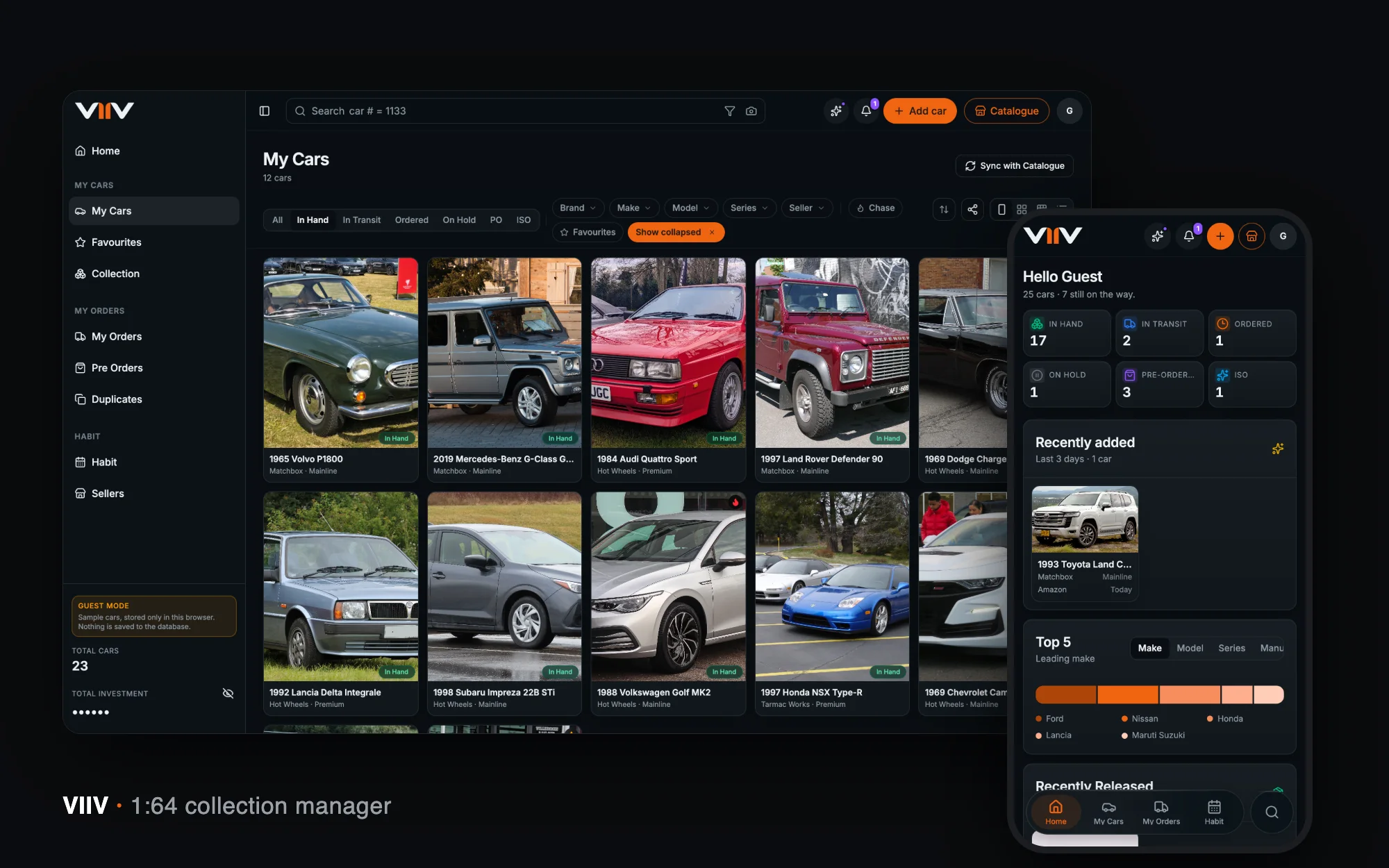
VIIV
A home for a 1:64 diecast collection — catalogue, card scan, orders, spend and habits — designed and built end to end in seven weeks.
View case studyProperty and rent · Product Design · 2026
RentPay
Rent management for small landlords and their tenants — one shared, trustworthy record of what is due, what was paid and what was said, in plain words.
View case studyLet’s talk
Have a challenge worth solving?
Whether you’re building a product, transforming an experience or looking for someone to help shape your design direction, let’s talk.